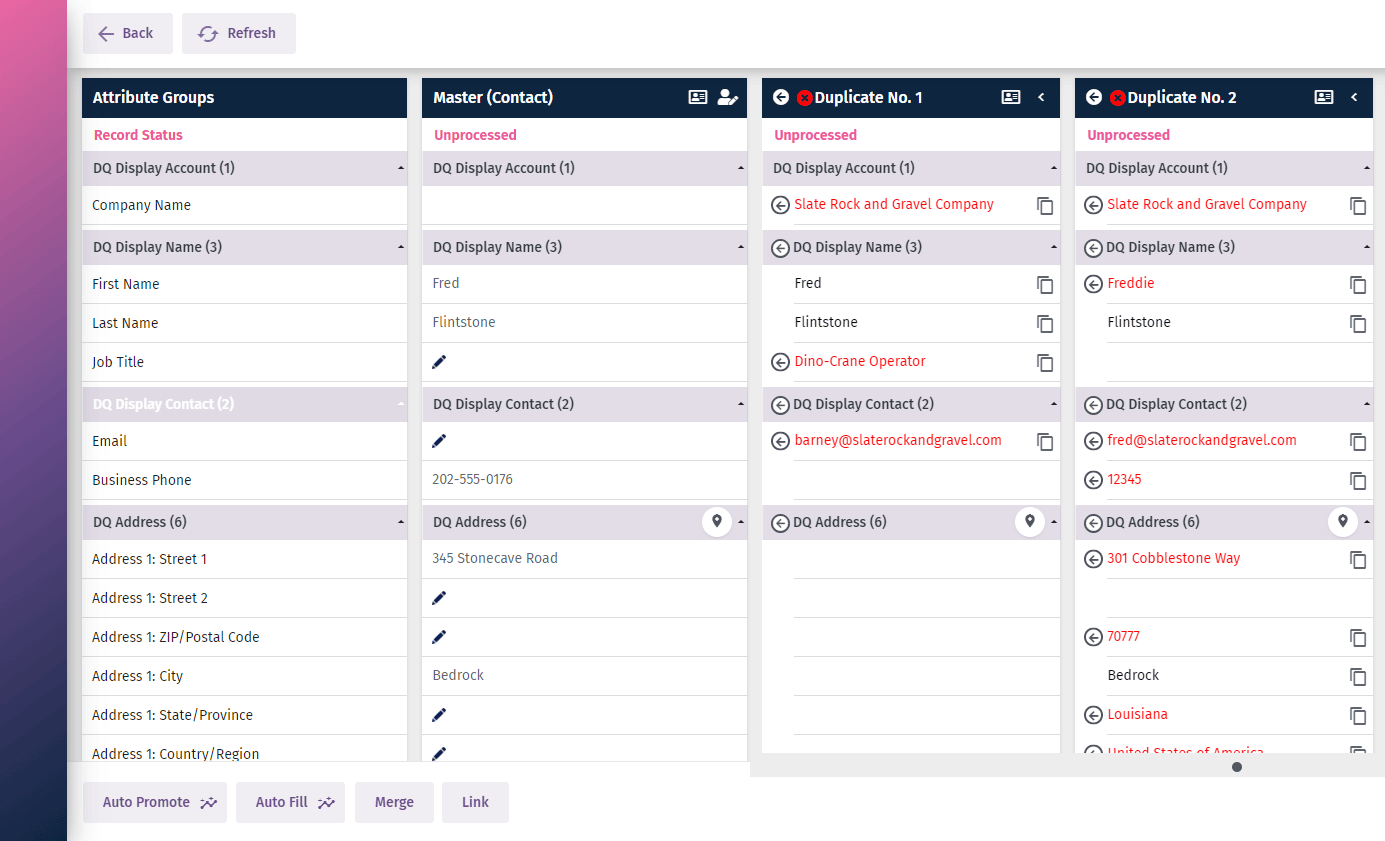
Duplicate detection and merge
Duplicate Detection & Merge
How many duplicates do you have in your CRM?
Duplicate customer data is a common challenge for many businesses. In fact, CRM duplicate rates of 10-30% are not unusual in the organisations we regularly deal with.
Duplicate records create issues in correctly communicating with and providing optimum customer service. They can also adversely affect business processes.
Do you know how many duplicates you have in your CRM?
Below are some instructions on running bulk system jobs in Microsoft Dynamics CRM to detect duplicate records. This is the first step in understanding the extent of the duplicate problem.
Detect duplicate data
Alternatively, if your resources are limited and you would like a quick and easy way of detecting duplicates in your Dynamics CRM, we can help you tackle the issue with our DQ for Dynamics™ data management solution.
Click here for A FREE TRIAL of DQ for Dynamics

Merge Duplicate Records
Within Microsoft Dynamics you can merge duplicate records to create a Single Customer View. This can only be performed on accounts, contacts, or leads. The out-of-the-box process for merging duplicate records is different depending on whether you have an on-premise or web based CRM. Here are Microsoft's instructions for D365 duplicate merge and for on-premise Dynamics duplicate merge.
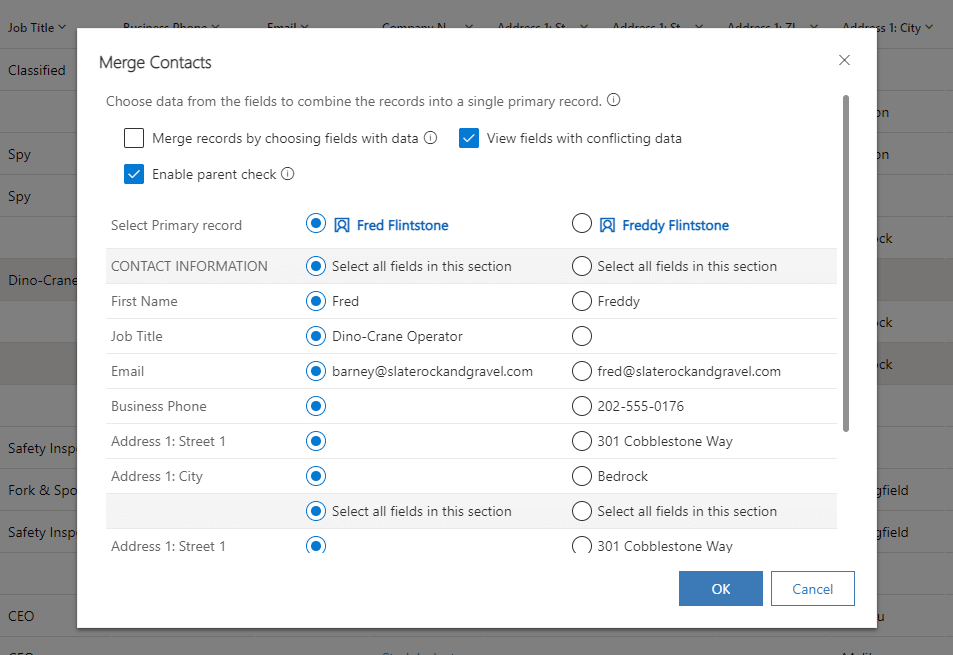
Pitfalls of using Microsoft’s out-of-the-box solution for duplicate detection and merge
There are a number of situations where the out-of-the-box merging functionality won’t solve the problem. These instances include:
- Fuzzy matching logic in multiple spoken languages to find non identical ‘sounds like’ matches, for instance: Bill Tomsen, William Thompson, Billy Thomson etc.
- When you need to review multiple duplicates simultaneously rather than one by one
- Fully automating the process of matching, mastering and merging to avoid unnecessary human review and save time and resource
In the same way you can choose to (a) hand wash your clothes (b) send them to a dry cleaner to be washed for you at a premium or (c) using a washing machine and dryer...You can make similar choices when cleansing your data. You can (a) merge by hand using the Microsoft out-of-the-box functionality, (b) send the data externally for processing or (c) install and use a tool to match, master and merge your CRM data.
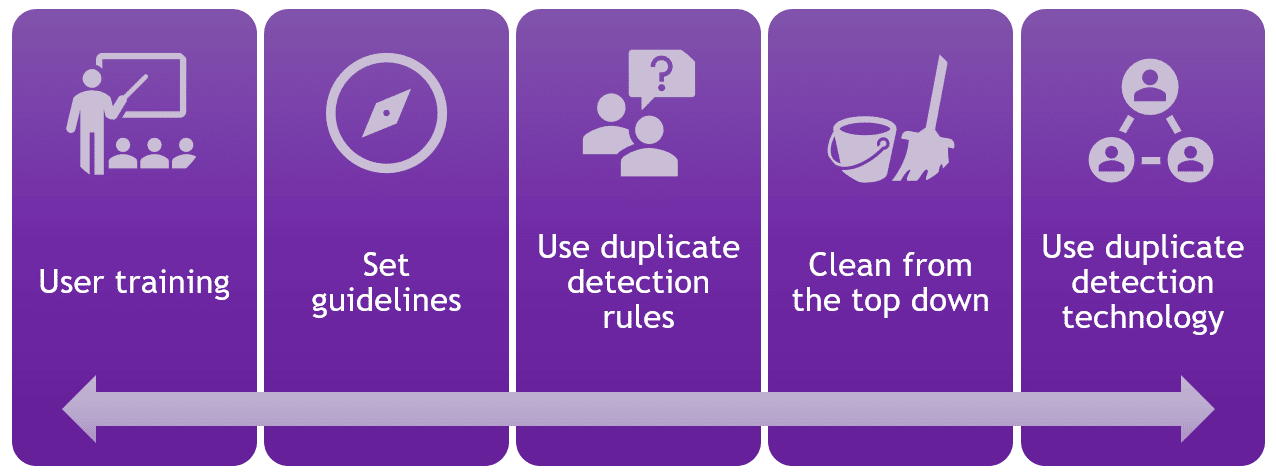
Actions you can take to reduce duplication…
- User training – Emphasise the importance of high data quality to all users through explaining the downstream pain and implications of poor quality data
- Clear guidelines – Define what the standards should be and then measure against them
- Apply duplicate detection rules – Set clear rules in your CRM to prevent further duplicates
- Clean from the top down… Start at the top and work down using a waterfall approach. First Exact or Strict matching before loosening off the match criteria
Let us make your duplicate detection and merge experience less painful and more efficient
DQ for Dynamics™ is like the washing machine and dryer, designed to manage and maintain CRM data quality when the out-of-the-box hand wash solution is just not up to the job.
We often get calls from people using the out-of-the-box functions to merge and detect duplicates and the typical frustrations are that it’s clunky, not user friendly and doesn’t provide a way to report on the duplicates detected and merged.
CRM users and managers want the process to be accurate and usable so that it allows them to access the records quickly and ultimately drives better staff engagement.
DQ for Dynamics™ works right inside Dynamics 365 to make cleaning customer records easier, allowing users to Capture, Cleanse and Consolidate the records in the CRM system to provide a Single Customer View.